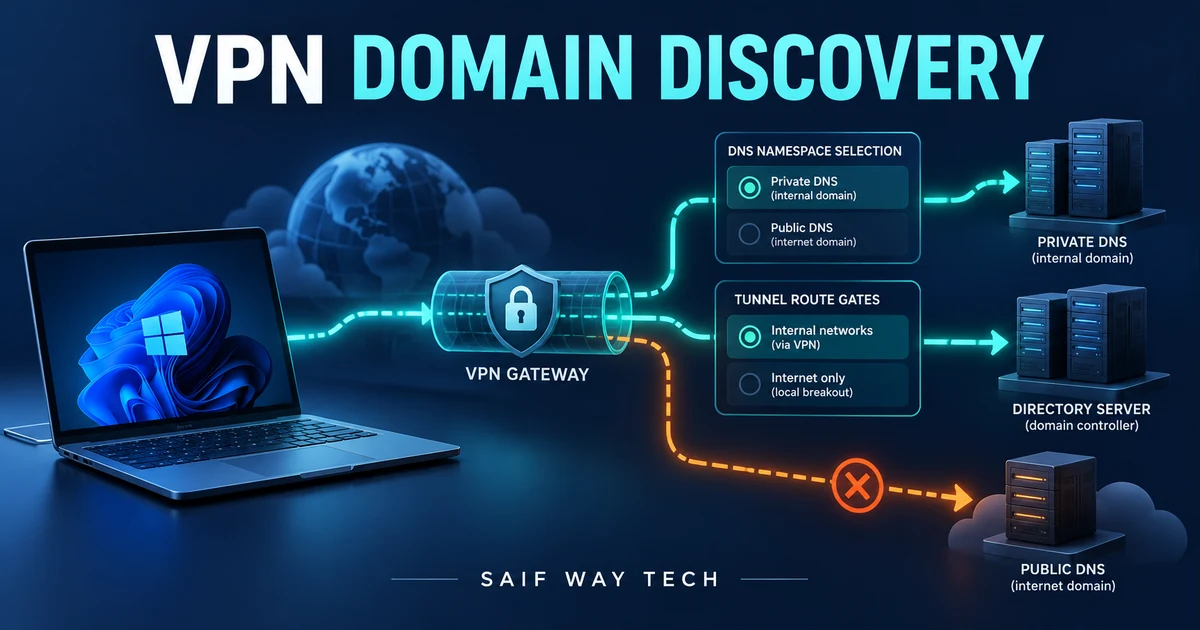
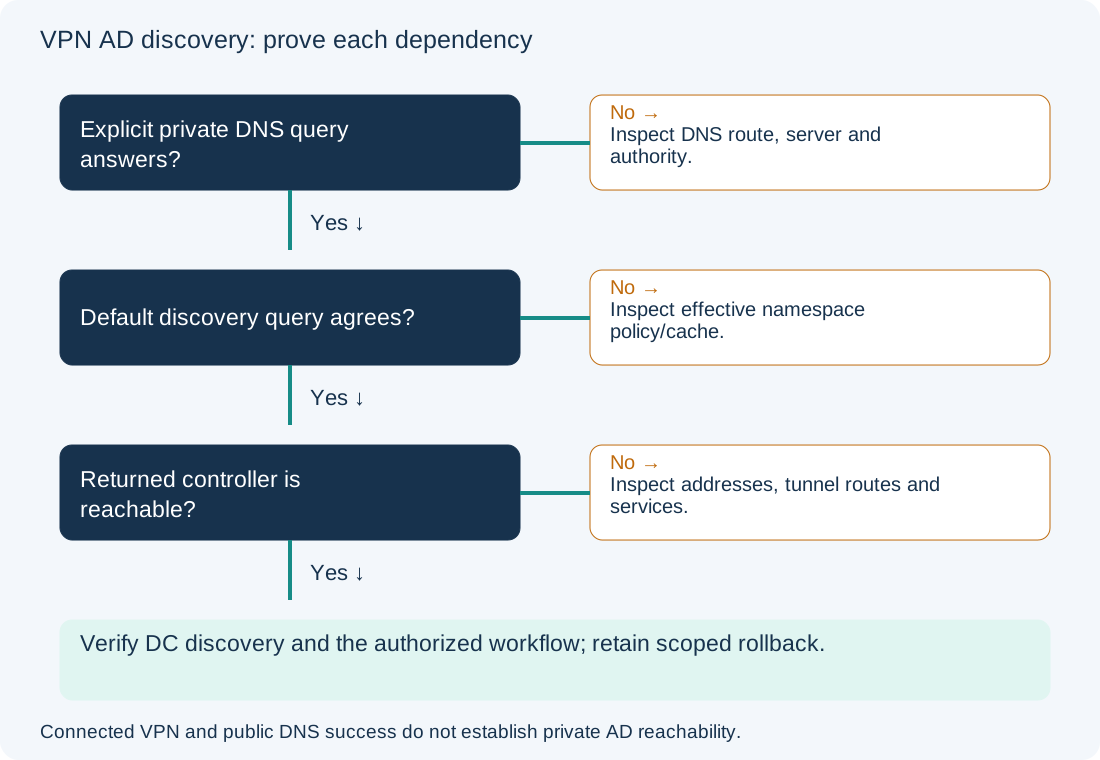
A connected VPN and working public websites do not prove that Windows can discover a domain controller. The client must send the private discovery query to an appropriate resolver, resolve the returned controller addresses and reach the required services through the tunnel. Compare each dependency before changing interface metrics or adding public DNS servers.
Scope and evidence: Proposed Windows 11 Pro client with an already established split-tunnel VPN using Windows DNS Client/NRPT behavior, tested with Windows PowerShell 5.1. AD namespace is corp.example.test; authorized DNS server is 192.0.2.53, and an illustrative returned controller is dc01.corp.example.test at 192.0.2.10. Documentation addresses represent routed private lab resources. No real DNS responses, tunnel result or successful domain join is claimed. Third-party clients can implement additional DNS interception; verify their supported configuration instead of assuming every client honors the same policy path.
Separate VPN Tunnel Establishment from AD DNS Discovery
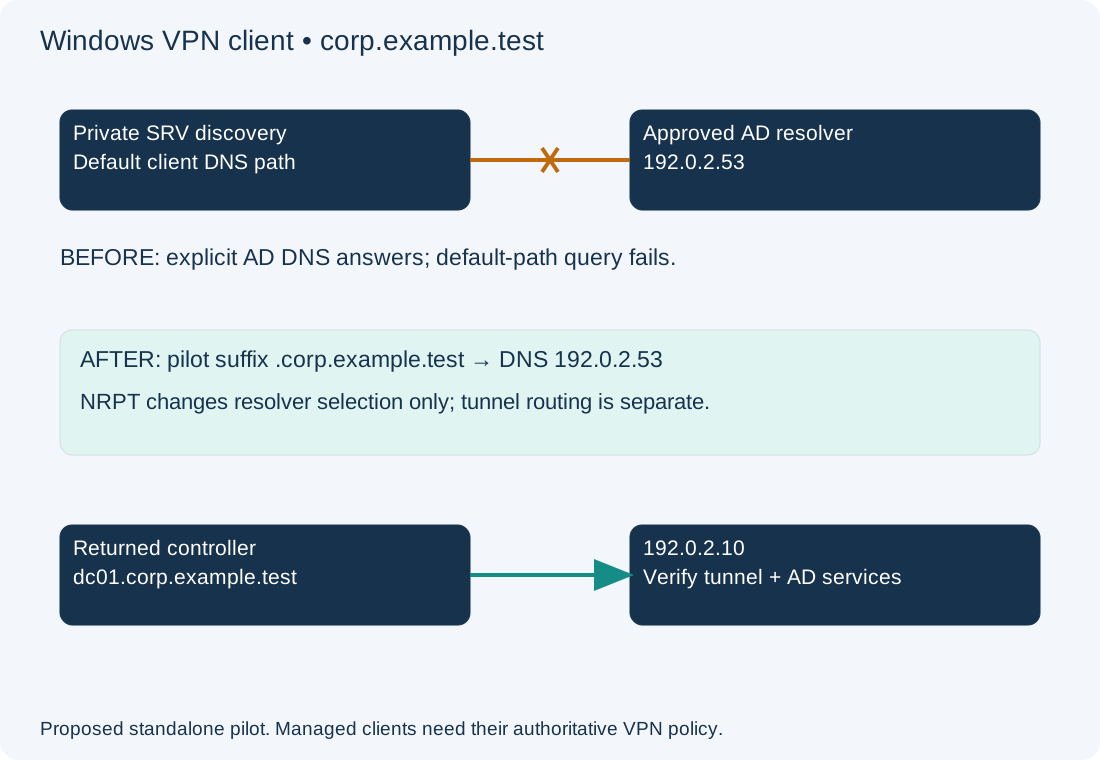
The injected fault is a missing private-namespace rule on a standalone pilot client; routes to the private DNS server and controllers already exist. On the LAN, AD DNS is selected naturally. On the VPN, an unqualified or private query can follow an unintended resolver path. A DNS suffix alone does not define all split-DNS routing behavior. Microsoft documents the Windows VPN name-resolution sequence.
Inspect Effective VPN DNS Policy, Adapters and Tunnel Routes
On the connected Windows client, read-only PowerShell:
Get-NetIPConfiguration
Get-DnsClientServerAddress -AddressFamily IPv4
Get-DnsClientNrptPolicy -Effective
Get-NetRoute -AddressFamily IPv4
Record connected adapter identity, assigned DNS servers, effective namespace rules, tunnel routes and time. Compare with the same client on the LAN using an approved test window. An adapter DNS list alone can miss effective policy; NRPT is an additional decision point. A suffix rule that exists in management intent may not have reached this endpoint. Check the matching namespace, resolver addresses and rule ownership, including a more-specific exception. See Get-DnsClientNrptPolicy.
Public resolvers are not a fallback authority for the private AD zone. Mixing them into a domain client’s resolver configuration can create inconsistent discovery. A hosts-file entry also cannot create the required SRV records. Keep internal DNS queries within the approved resolver path and security policy.
Compare Default and Explicit AD SRV Queries over the VPN
These read-only DNS probes query the fully qualified discovery name:
$discovery = '_ldap._tcp.dc._msdcs.corp.example.test.'
Resolve-DnsName -Name $discovery -Type SRV -DnsOnly
Resolve-DnsName -Name $discovery -Type SRV -Server 192.0.2.53 -DnsOnly
Expected lab evidence is failure or a different result through the default client path while the explicit AD DNS server returns the intended SRV targets. The explicit query is a controlled comparison, not proof that normal applications use that server. Cache can affect observed answers; preserve initial evidence and distinguish cached from new queries before deciding to clear anything. Do not infer the responding server solely from an answer that does not identify it; correlate effective policy or a bounded authorized trace.
| Result | Candidate boundary | Next action |
|---|---|---|
| Explicit and default both fail | DNS path, authority or server response needs review | Verify tunnel route to DNS and server-side zone/query evidence |
| Explicit succeeds; default fails | Client selection, effective policy or cache can differ | Inspect actual namespace policy and query path |
| Both return targets; one target lacks addresses | SRV-to-host dependency is incomplete | Review authoritative A/AAAA records |
| Target addresses resolve; discovery still fails | Route/service/authentication checks remain | Inspect controller path and DC Locator evidence |
Resolve each returned target, using its actual name rather than assuming the example controller is selected:
Resolve-DnsName dc01.corp.example.test. -Type A -DnsOnly
Resolve-DnsName dc01.corp.example.test. -Type AAAA -DnsOnly
Find-NetRoute -RemoteIPAddress 192.0.2.10
Test-NetConnection dc01.corp.example.test -Port 389 -InformationLevel Detailed
Test-NetConnection dc01.corp.example.test -Port 445 -InformationLevel Detailed
nltest /dsgetdc:corp.example.test /force
The route lookup should select the intended tunnel path for the actual address. If an overlapping remote LAN route wins, a DNS correction will not repair routing. TCP 389 and 445 success checks only those TCP endpoints; it does not validate UDP discovery, Kerberos, RPC dynamic ports, permissions or the complete join procedure. A returned IPv6 address can require its own tunnel path and policy. A failed AAAA lookup is not automatically a defect in an IPv4-only design. The AD DNS guide covers the wider directory-discovery boundary.
Add Only the Approved Standalone Pilot NRPT Suffix Rule
Local DNS-policy change — isolated pilot only. The lab assumes no matching or conflicting rule exists, no GPO/MDM owns NRPT, and the connected VPN routes to the approved resolver/controller are already verified. Save the effective policy and existing local rules. On managed clients, update the authoritative VPN/MDM/GPO profile through its owner instead; a local override can be ignored, conflict or persist after disconnect.
From elevated PowerShell, add a suffix-scoped rule and record its generated identity:
$pilotRule = Add-DnsClientNrptRule -Namespace '.corp.example.test' -NameServers '192.0.2.53' -DisplayName 'Pilot AD split DNS' -PassThru
$pilotRule | Select-Object Name, Namespace, NameServers
Get-DnsClientNrptPolicy -Effective
The leading dot declares a suffix rule. It targets this namespace and descendants, not all DNS names. It does not add a tunnel route or grant AD service access. The local rule remains until removed, including after VPN disconnect, so define a removal plan and keep the pilot narrowly scoped. Microsoft documents NRPT rule creation. Do not add a catch-all namespace rule just to make the first test pass.
Verify VPN Domain Discovery and Remove the Pilot Rule Safely
Repeat the default-path SRV query, target-address checks, route selection and DC discovery. Expected lab evidence is the intended private discovery answer without specifying -Server, followed by appropriate tunnel reachability. Verify an unrelated approved public name still follows intended policy. A successful DNS answer does not prove user logon, GPO or join; test the authorized workflow separately.
Rollback removes only the rule created above while the saved object is still available:
Remove-DnsClientNrptRule -Name $pilotRule.Name -Confirm
Get-DnsClientNrptPolicy -Effective
If the session ended, use the exact recorded generated Name after checking it is still the pilot rule; do not delete rules by a broad namespace search. Confirm the known baseline and test disconnect behavior. See rule removal. For an unestablished VPN use the IKEv2 SAML guide; for repeated multi-target DNS inspection the Python SRV checker preserves partial outcomes without claiming full AD health.