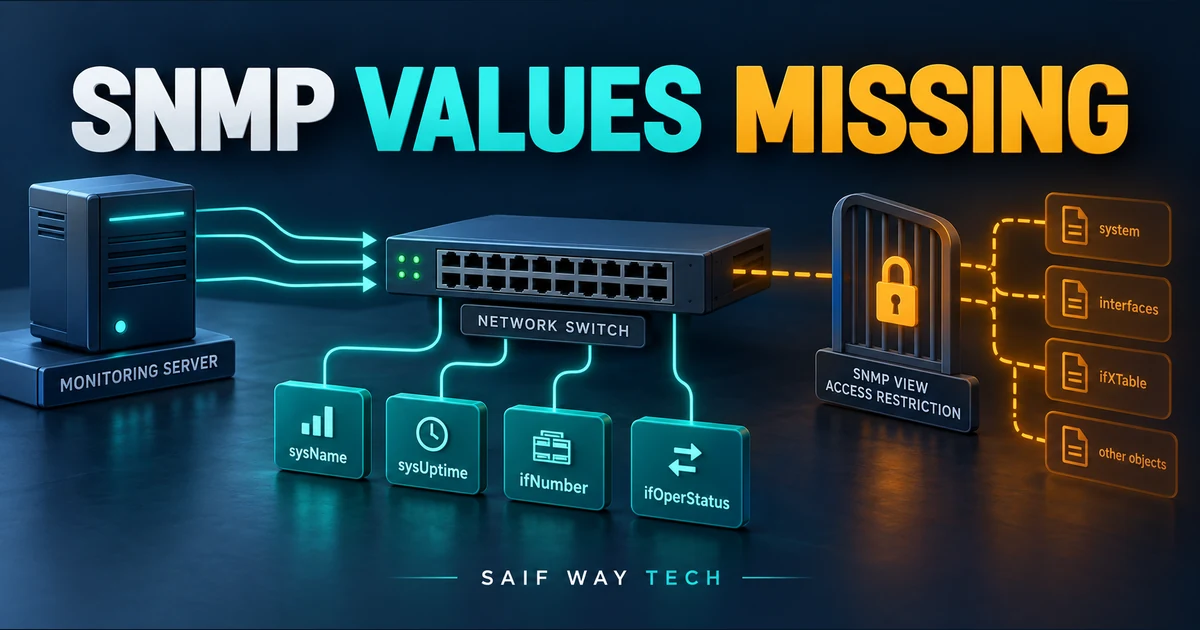
One successful uptime query proves that one object was readable in one SNMP context. It does not prove that an interface counter exists, that the correct row index was requested, or that the active read view allows that subtree. Preserve the poller identity and context while testing these boundaries.
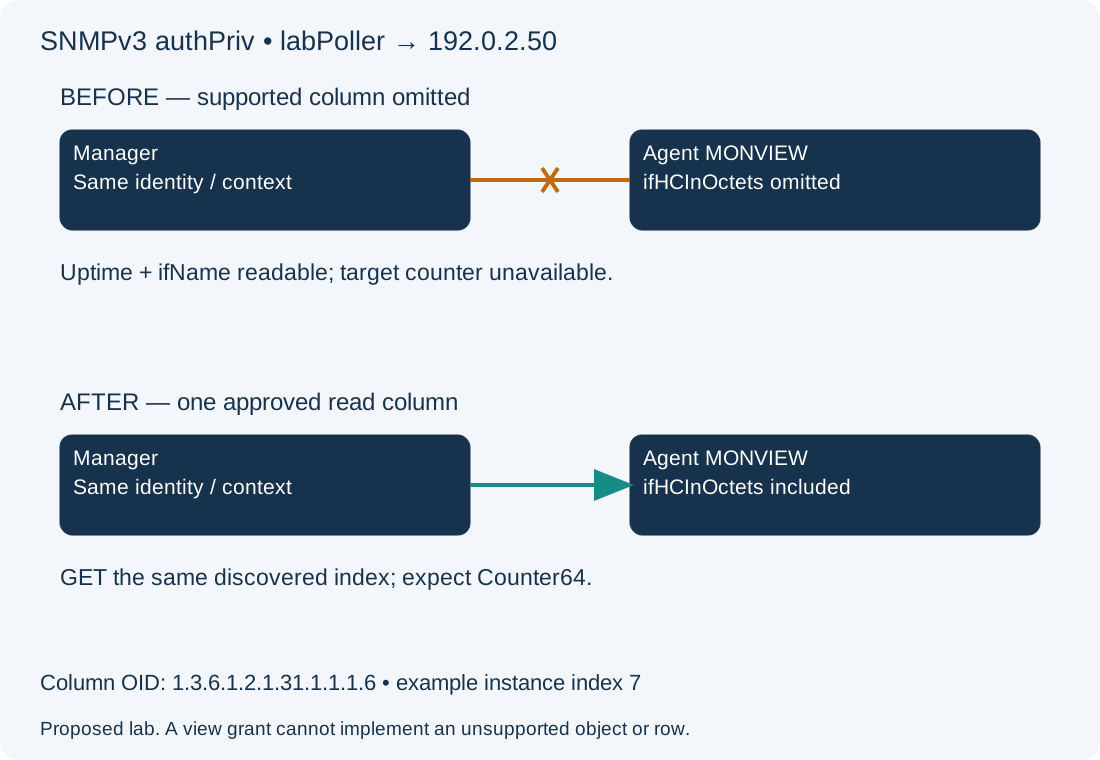
Scope and evidence: Proposed Cisco IOS XE SNMPv3 authPriv agent 192.0.2.50, Net-SNMP manager and a read-only account labPoller. Authentication/privacy algorithms and secrets are already configured in a protected local Net-SNMP profile; they are deliberately absent from command lines. The view MONVIEW already permits system objects, ifName and legacy interface counters, but omits the supported ifHCInOctets column. No live poll results, device output or successful permission change is claimed.
Interpret SNMP NoSuchObject, NoSuchInstance and Timeouts
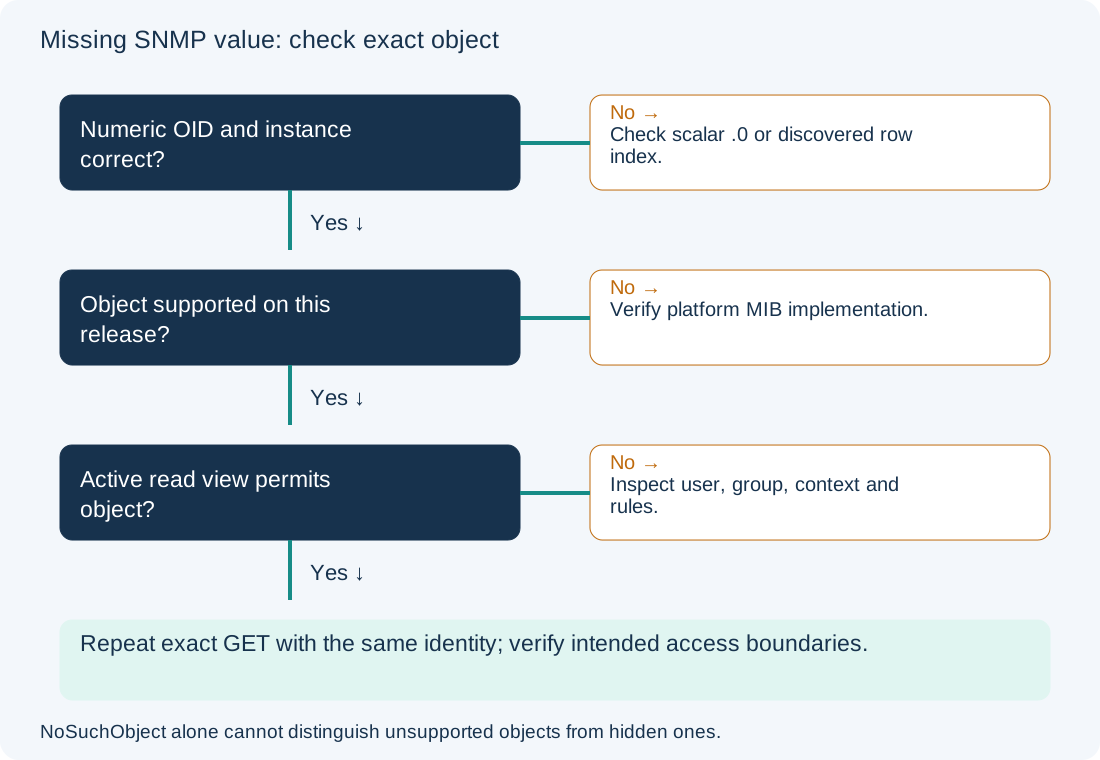
For SNMPv2c/v3, noSuchObject and noSuchInstance are different exception values. A missing scalar .0, nonexistent table row, unsupported implementation and restricted view need different evidence. Access restrictions can make objects appear absent, so the exception alone cannot distinguish every case. A timeout belongs first in the SNMP polling timeout guide, not in an OID availability diagnosis.
Test Numeric SNMP OIDs and Discover the Correct Interface Index
On the authorized Net-SNMP manager, read-only queries:
snmpget -v3 -l authPriv -u labPoller -On 192.0.2.50 .1.3.6.1.2.1.1.3.0
snmpwalk -v3 -l authPriv -u labPoller -On 192.0.2.50 .1.3.6.1.2.1.31.1.1.1.1
snmpget -v3 -l authPriv -u labPoller -On 192.0.2.50 .1.3.6.1.2.1.31.1.1.1.6.7
The first requests sysUpTime’s scalar instance. The second is a bounded ifName-column walk used to map an actual interface to ifIndex. The third requests ifHCInOctets at illustrative index 7; substitute the discovered index for the intended interface. Expected lab evidence is readable uptime/name data and an unavailable target counter before correction. Do not assume index 7 means the same physical port after a reload or on another agent. Match stable identity such as ifName/ifAlias to inventory.
A scalar needs its instance suffix, normally .0. A table column needs the row’s index, not .0 by habit; some tables have composite indexes. Numeric OIDs remove a local MIB-name resolution variable. Installing a MIB file on the manager translates names; it does not implement the object on the device. Net-SNMP explains scalar instances and common query options.
| Observation | Candidate explanation | Evidence to collect next |
|---|---|---|
| Local unknown-object parse error | Manager cannot resolve a symbolic name | Try the documented numeric instance and fix local MIB loading |
| noSuchInstance on a scalar/column | Missing suffix or absent row is possible | Verify object type, exact index and current row existence |
| noSuchObject for one subtree | Unsupported implementation or hidden object is possible | Check platform/release support and active view |
| Walk stops/skips expected entries | View boundary or sparse table can affect enumeration | Compare exact object queries and authorized device-side view |
| Timeout for every object | Transport/security acceptance may have failed | Return to reachability and SNMPv3 credential/context checks |
Do not silently substitute another agent address, community, context or privilege level and call that proof. If a separately approved diagnostic identity can read the same instance, that comparison supports an access difference, but it still needs review of the actual group/view binding.
Verify Device MIB Support and the Active SNMP Read View
On IOS XE, privileged read-only CLI:
show version
show snmp group
show snmp user
show snmp view
Record platform/release and the user’s group, security level, context and read view. Compare the target OID with the device/release’s MIB support documentation. Do not infer support from a product-family label or a manager MIB package. View rules may contain includes, exclusions and more-specific matches; inspect the whole active definition and every identity that shares it. Cisco’s SNMP security reference describes group and view boundaries.
The proposed lab confirms the counter column is implemented, index 7 exists, and MONVIEW has no conflicting explicit exclusion for the target. The omission is the sole remaining failed gate. If the view already permits the object, investigate support, context and instrumentation rather than adding broader access.
Add Only the Approved Missing SNMP Read-View Subtree
Configuration change — isolated IOS XE lab. Save the complete view and group bindings. The monitoring owner approves reading this one counter column for all intended interfaces, and all users of MONVIEW are in scope. No new write view is authorized. If only one interface may be exposed, design a narrower instance-specific policy rather than copying this column-wide example.
configure terminal
snmp-server view MONVIEW 1.3.6.1.2.1.31.1.1.1.6 included
end
The subtree is the ifHCInOctets column, not all of iso. Existing group/user security remains unchanged. The command does not create missing hardware instrumentation or grant access to a nonexistent row. Platform parser and view matching must be validated on the target image. Do not remove an exclusion without understanding its access-policy purpose.
Verify the SNMP Value and Preserve the Access Boundary
Repeat the exact GET with the same v3 identity, context and discovered index. The expected lab result is a Counter64 value; it is a cumulative octet count, not utilization percentage. Confirm intended objects remain readable and a designated disallowed object remains inaccessible. Do not enable write access as a test. Verify the NMS’s actual poll uses the same OID and that its parser handles Counter64 correctly.
Rollback, only if this entry was absent in the recorded baseline:
configure terminal
no snmp-server view MONVIEW 1.3.6.1.2.1.31.1.1.1.6 included
end
Expect the known missing-value behavior to return. Save a configuration only after validating the intended read boundary. Preserve platform support and view ownership alongside the NMS template so a software upgrade or shared-view edit is traceable. The counter-reset guide explains how to turn readable octets into a defensible rate; successful polling alone does not make that rate correct.