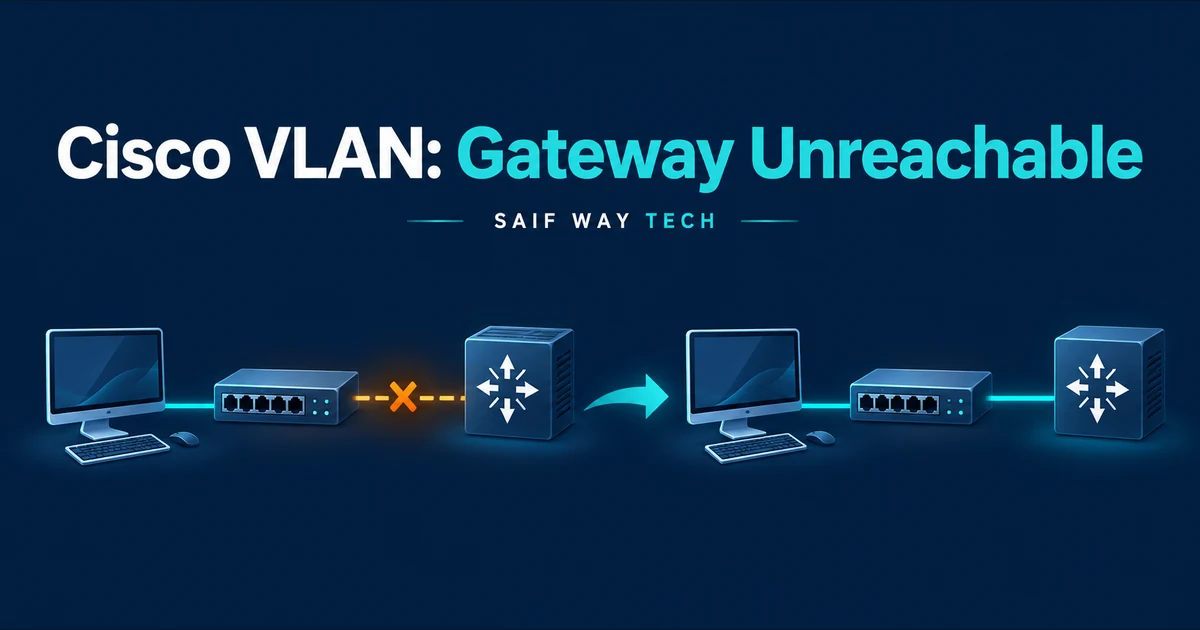
A workstation has an address in the intended VLAN, but its default gateway does not answer. Do not start by adding routes: a gateway in the same subnet first requires a working Layer 2 path and address resolution. Trace the access port, every trunk and the gateway interface before changing anything.
Scope and evidence: Hypothetical lab, not a customer incident or captured device output. Documentation addresses are illustrative and must be replaced in an isolated lab. Commands were reviewed against the primary references below; no live switch or domain was tested. Read-only checks come first. Configuration changes require an authorized maintenance window, a saved baseline and a tested management/rollback path.
Cisco VLAN Gateway Failure: Symptoms and Lab Topology
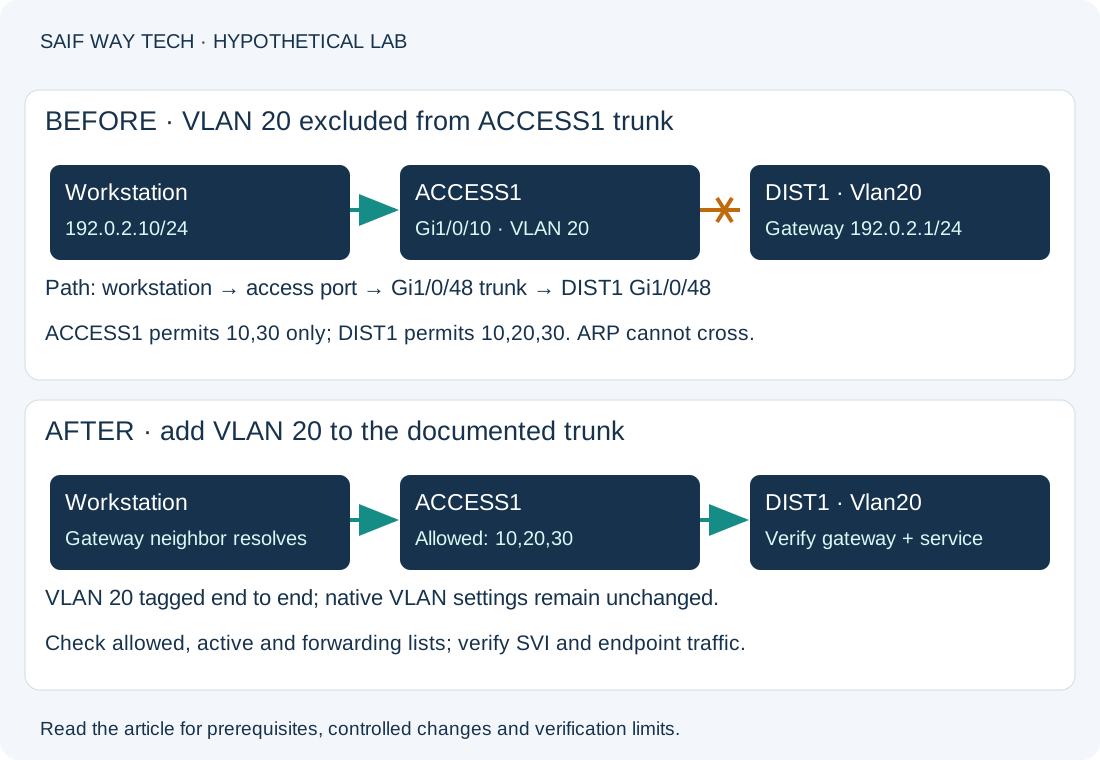
This guide uses Catalyst IOS XE 17.x syntax, with the 17.15 Catalyst 9300 guides as the reference baseline. It is not NX-OS syntax. The lab workstation is 192.0.2.10/24, gateway 192.0.2.1 on DIST1 Vlan20, access port ACCESS1 Gi1/0/10 and a single standalone Gi1/0/48 trunk between switches. VLAN 20 is tagged on that trunk. Native VLAN settings already agree. There is no port-channel in this example.
The specific injected fault is VLAN 20 missing from ACCESS1’s explicit trunk allowed list. Other clients in other VLANs can still work. A failed ping alone does not prove this fault; ICMP filtering or a wrong endpoint mask can produce similar symptoms.
Check the Client IP Address, Subnet Mask and Gateway ARP
On a Windows 11 lab endpoint, run these read-only checks in PowerShell. Elevation is normally unnecessary for these checks.
Get-NetIPConfiguration
ping 192.0.2.1
Get-NetNeighbor -AddressFamily IPv4
The first command should show the active adapter with 192.0.2.10, prefix length 24 and gateway 192.0.2.1. A different mask, duplicate address indication or wrong interface means the endpoint needs investigation before switch changes. Ping success establishes ICMP reachability only. After an attempted ping, a gateway neighbor with a resolved link-layer address shows address resolution; Incomplete or Unreachable directs you toward VLAN transport, gateway availability or filtering of ARP. A resolved neighbor with a failed ping calls for gateway ICMP/control-plane policy checks rather than an assumed trunk fault.
Verify Cisco Access VLAN, Trunk, STP and SVI State
Run the following in privileged EXEC on the indicated switches. They do not change configuration. Interface names must match the actual hardware.
! ACCESS1
show interfaces status
show interfaces gigabitEthernet1/0/10 switchport
show vlan brief
show interfaces trunk
show spanning-tree vlan 20
show mac address-table dynamic vlan 20
! DIST1
show interfaces vlan 20
show ip interface vlan 20
show interfaces trunk
show spanning-tree vlan 20
show mac address-table dynamic vlan 20
| Check | Healthy evidence | Abnormal finding and next action |
|---|---|---|
| Interface status | Client and uplink connected | Not connected: inspect cable, transceiver and endpoint. Err-disabled: identify the recorded cause before recovery. |
| Access switchport | Operational access mode, access VLAN 20 | Wrong VLAN or negotiated trunk: compare intended port profile; do not reconfigure an unidentified uplink. |
| VLAN database | VLAN 20 active on both switches | Missing/suspended VLAN: investigate VLAN management/VTP ownership before creating it. |
| Trunk output | Uplink trunking; 20 in allowed, active and forwarding/not-pruned sections | Missing from allowed list: candidate fault. Allowed but not active: inspect VLAN existence. Active but not forwarding: inspect STP/pruning. |
| STP | Intended path forwarding for VLAN 20 | Blocking can be correct in a redundant topology. Do not disable STP to make a test pass. |
| MAC learning | Endpoint MAC on access port, then on DIST1 uplink after traffic | Learned on wrong port or moving repeatedly: inspect cabling, endpoint attachment or loops. |
| Gateway SVI | Vlan20 up/up with 192.0.2.1/24 | Down/admin down or wrong address: inspect SVI configuration and active Layer 2 members. An up/up SVI alone does not prove every trunk carries 20. |
| SVI IP details | Intended IP and documented access lists | Unexpected ACL: compare policy and counters with the affected flow; do not remove it blindly. |
An SVI generally needs the VLAN active and an eligible forwarding Layer 2 member as well as being administratively enabled. Platform features can alter autostate behavior. In this example DIST1 can retain an up/up SVI through another active member while ACCESS1 still cannot reach it. IP routing is needed for traffic between subnets; enabling it is not the fix for a host trying to reach its own on-link SVI.
Confirm a Missing Trunk VLAN Before Changing Configuration
Record the original stanza with this read-only privileged EXEC command on ACCESS1:
show running-config interface gigabitEthernet1/0/48
Expected healthy configuration permits the intended VLANs. For this lab, assume the baseline explicit allowed list is 10,30, while DIST1 already permits 10,20,30. The evidence is specific: VLAN 20 exists, the endpoint is in VLAN 20, the uplink is trunking, and ACCESS1 excludes 20. If these observations do not match, stop and pursue the failed row in the table.
Add the Missing VLAN Without Replacing the Trunk Allowed List
Configuration-changing, ACCESS1 only. Confirm this interface is the documented standalone trunk. On an EtherChannel, assess the logical port-channel and member consistency instead; see the LACP guide. Adding a VLAN extends its broadcast/security domain, so verify the intended design and change authorization.
configure terminal
interface gigabitEthernet1/0/48
switchport trunk allowed vlan add 20
end
add 20 preserves the existing list. A bare replacement list could accidentally remove working VLANs. This correction assumes VLAN 20 already exists on both switches and is already permitted at DIST1. It does not change native VLAN, STP or routing.
Rollback for this exact baseline is the following configuration change. Use it only when 20 was absent before this change; otherwise restore the recorded original configuration.
configure terminal
interface gigabitEthernet1/0/48
switchport trunk allowed vlan remove 20
end
Verify Gateway Connectivity and Other VLAN Services
Repeat show interfaces trunk and show spanning-tree vlan 20 on both switches. VLAN 20 should now be allowed, active and forwarding on the intended path. Repeat the MAC table command: DIST1 should learn the endpoint through the uplink after traffic. Repeat the endpoint ping and neighbor checks: the gateway address should resolve and ICMP should succeed if permitted. If it does not, return to SVI addressing, endpoint mask and policy checks; do not widen the trunk further without evidence.
Test a known service in VLANs 10 and 30 to catch regression, then test the actual affected application. A gateway ping does not prove inter-VLAN routing, DNS or application access. Save with copy running-config startup-config only after acceptance; this privileged EXEC command writes persistent configuration. Preserve the reviewed baseline separately.
Prevent Cisco VLAN Gateway Failures During Switch Changes
Maintain a VLAN-to-uplink matrix and compare allowed lists before and after switch replacement. Record STP roles and SVI state in change validation. Pair this guide with the existing port security lab when the access interface is err-disabled, and use the NOC workflow to establish scope before escalation.
Cisco VLAN and Switchport Documentation
- Cisco IOS XE 17.15 Catalyst 9300 VLAN configuration guide: VLAN creation, trunk allowed-list semantics and verification.
- Cisco IOS XE 17.15 interface command reference: switchport state interpretation.