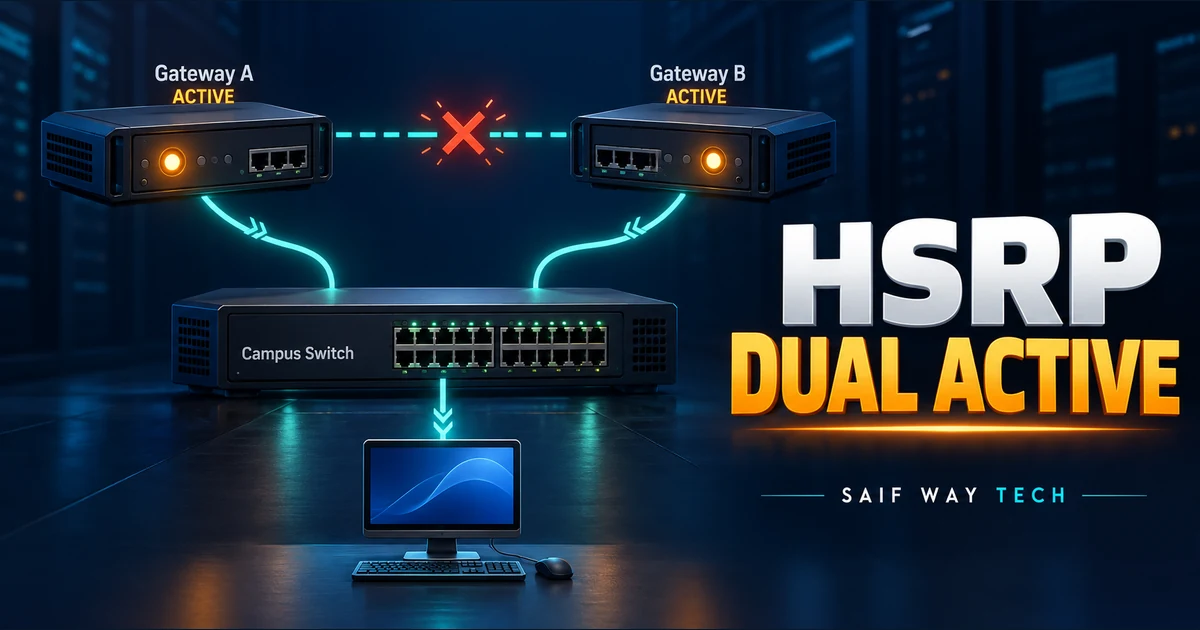
Both HSRP routers reporting Active is a reason to investigate peer communication. Increasing priority cannot repair a path on which the gateways cannot hear one another. First establish that the observations concern the same group and VLAN at the same time, then follow the control packets across the switching path.
Scope and evidence: Proposed IOS XE IPv4 HSRPv2 lab with two Layer 3 switches and a single inter-switch trunk. No production incident, packet capture or successful device test is claimed. Interface names and commands must be checked against the target platform. This guide concerns ordinary HSRP, not a fabric’s distributed anycast gateway.
Map the HSRP Group, Virtual IP and VLAN on Both Gateways
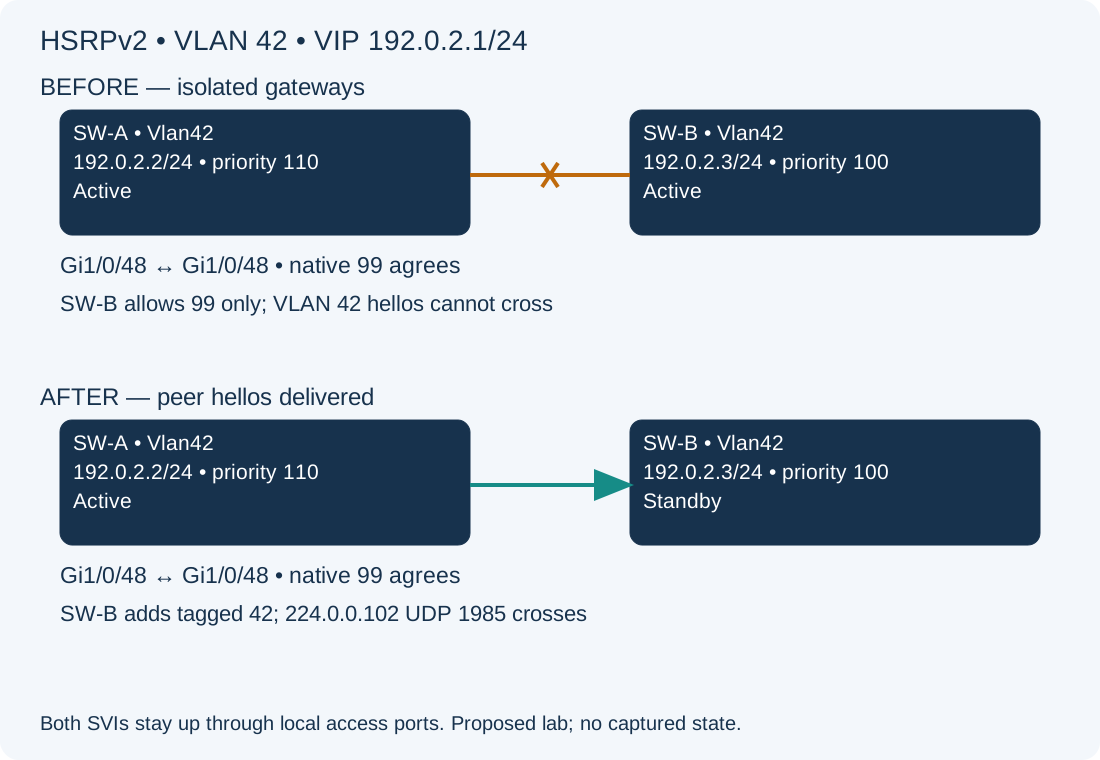
SW-A Vlan42 is 192.0.2.2/24; SW-B Vlan42 is 192.0.2.3/24. Both use HSRPv2 group 42, virtual IP 192.0.2.1, matching authentication and default timers. Priorities are 110 and 100, with preemption already configured. Each has a local access port keeping its SVI up. Gi1/0/48 joins the switches; native VLAN 99 agrees. VLAN 42 exists locally on both, but SW-B’s trunk allows only 99. Hosts on the two isolated VLAN segments can therefore see different active gateways.
Compare HSRP Version, Group Identity and Simultaneous State
Run these read-only privileged EXEC checks on both IOS XE gateways:
show clock
show standby brief
show standby Vlan42
show running-config interface Vlan42
show ip interface brief
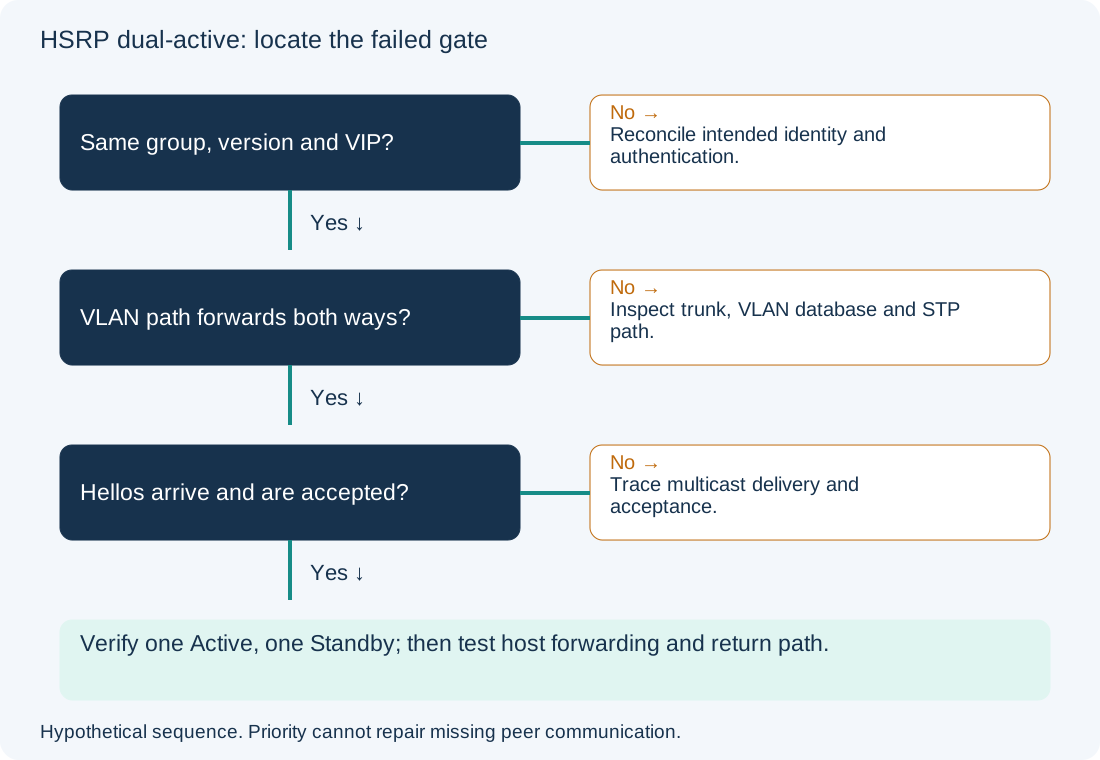
Record the time, local interface address, version, group, virtual IP, priority, active peer, standby peer and timers. Expected healthy evidence is one Active and one Standby with each identifying the other. Two Active entries collected minutes apart can instead describe normal failover. An SVI down/down is a different starting fault; this lab assumes both are up/up.
| Comparison | Interpretation | Next action |
|---|---|---|
| Different group, version or VIP | These are not agreeing members of one intended group | Reconcile the approved design before changing priority |
| Matching identity, peer unknown, both Active | Peer delivery or acceptance needs evidence | Inspect VLAN path and hello reception |
| Repeated state changes | Could be link loss, tracking, congestion or timer behavior | Correlate timestamps with interfaces and logs |
| One Active, one Standby but hosts fail | Election alone does not validate forwarding | Trace host ARP, VLAN, routing and return path |
Do not paste authentication secrets into tickets. Compare authentication configuration through an authorized secure process. Cisco’s HSRP troubleshooting guide provides the protocol and failure background; the worksheet above is an original proposed diagnostic sequence.
Trace VLAN Forwarding and HSRP Hello Delivery
On both switches, inspect the actual inter-switch link, including a Port-channel if the physical member belongs to one:
show interfaces trunk
show vlan id 42
show spanning-tree vlan 42
show interfaces Gi1/0/48 switchport
show logging | include HSRP|MACFLAP|SPANTREE
ping 192.0.2.3 source Vlan42
The ping above is from SW-A; reverse it to 192.0.2.2 on SW-B. A reply tests peer unicast reachability only. In the proposed fault, SW-B excludes 42 in the first trunk list. In a healthy path, 42 must also be active and forwarding/not pruned on the intended link. If STP blocks this path, determine whether an alternative forwarding path exists before treating blocking as a fault. The three trunk lists guide separates these gates.
Where approved, use a bounded SPAN capture on the relevant switch ports. Filter for udp.port == 1985 && ip.dst == 224.0.0.102 for this IPv4 HSRPv2 example. Observe both source addresses and both directions. A packet visible leaving SW-A but absent at SW-B narrows the fault to delivery; one arriving but rejected calls for version, group and authentication investigation. HSRPv1 uses a different multicast destination, so a version-2-only filter cannot prove version-1 silence. Avoid continuous production debugs; captures can contain sensitive traffic.
Correct the Confirmed Trunk VLAN Omission Affecting HSRP
Configuration change — SW-B only, hypothetical lab. Save both trunk stanzas, confirm local VLAN ownership and out-of-band access, and assess the reconnection impact. Joining two isolated segments can immediately change gateway ownership and traffic paths. The approved design here requires tagged VLAN 42 on this trunk; native VLAN 99 is unchanged.
configure terminal
interface Gi1/0/48
 switchport trunk allowed vlan add 42
end
The command adds 42 without replacing the existing list. Expected evidence is permission for 42 followed by the appropriate STP forwarding state and peer discovery. Do not run it if the trunk is controller-owned, bundled under a logical interface, or intentionally isolates these segments. This correction does not address authentication mismatch or multicast-specific drops.
Rollback to the recorded lab baseline, if reconnection causes unexpected impact:
configure terminal
interface Gi1/0/48
 switchport trunk allowed vlan remove 42
end
Rollback restores the known isolation and can recreate dual-active; it is an impact containment step, not a healthy final design. Do not save a faulty state merely to make it persistent.
Verify HSRP Active-Standby State and Host Forwarding
Repeat the state, trunk and peer checks. With this lab’s priorities and preemption, the target is SW-A Active and SW-B Standby after convergence; record actual observations instead of assuming that result. Confirm no continuing MAC movement, then check a host’s ARP entry for the VIP and test an authorized routed destination with its return path. For HSRPv2 group 42, the default virtual MAC is 0000.0c9f.f02a; customized MAC behavior must be accounted for. An ARP entry alone does not prove redundant forwarding or failover readiness.
Plan a separate controlled failover test only with an approved impact window. Prevent recurrence by comparing VLAN permission on both peers and monitoring peer state transitions. The gateway path guide covers host-to-SVI failures; native VLAN mismatch covers untagged classification disagreements. Protocol configuration details are in Cisco’s HSRP configuration reference.