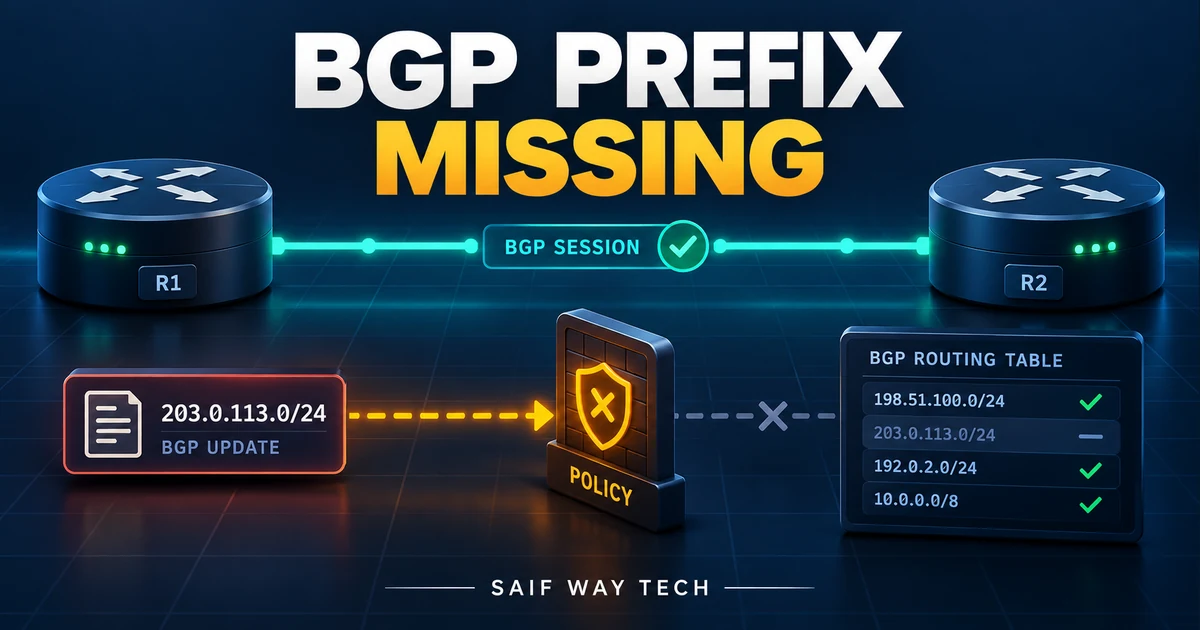
An Established BGP neighbor proves that a session exists. It does not prove that a particular prefix was originated, exported, accepted or installed. Pick one prefix and one address family, then record where that route disappears. Restarting a healthy session erases useful context and can affect every route learned through it.
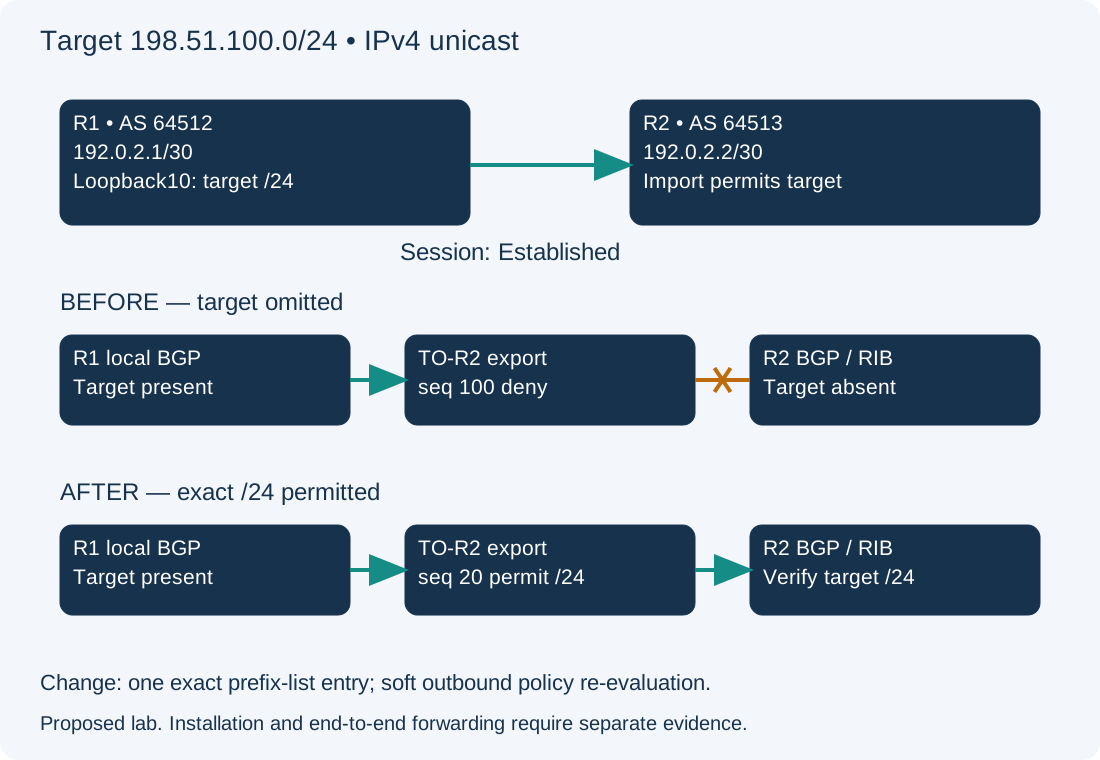
Scope and evidence: Hypothetical classic IOS XE 17.x IPv4 unicast eBGP lab in the global routing table. R1 is AS 64512 at 192.0.2.1/30; R2 is AS 64513 at 192.0.2.2/30. The target is exactly 198.51.100.0/24. No live route output or successful advertisement is claimed. VRFs, VPN address families, route servers and controller-managed policy require their corresponding commands and design checks.
Define the Missing BGP Prefix, Peer and Address Family
R1 already has a connected Loopback10 route for 198.51.100.0/24 and a matching IPv4 BGP network statement. Its outbound TO-R2 prefix list permits another approved prefix at sequence 10, then denies everything at sequence 100. The intended /24 was omitted. R2’s import policy already permits the target and its next hop is directly reachable. These are lab assumptions to prove with evidence, not facts to infer from Established.
Verify BGP Address Family and Exact Prefix Origination
On R1, read-only privileged EXEC:
show ip bgp summary
show ip bgp neighbors 192.0.2.2
show ip route 198.51.100.0 255.255.255.0
show ip bgp 198.51.100.0 255.255.255.0
show running-config | section router bgp
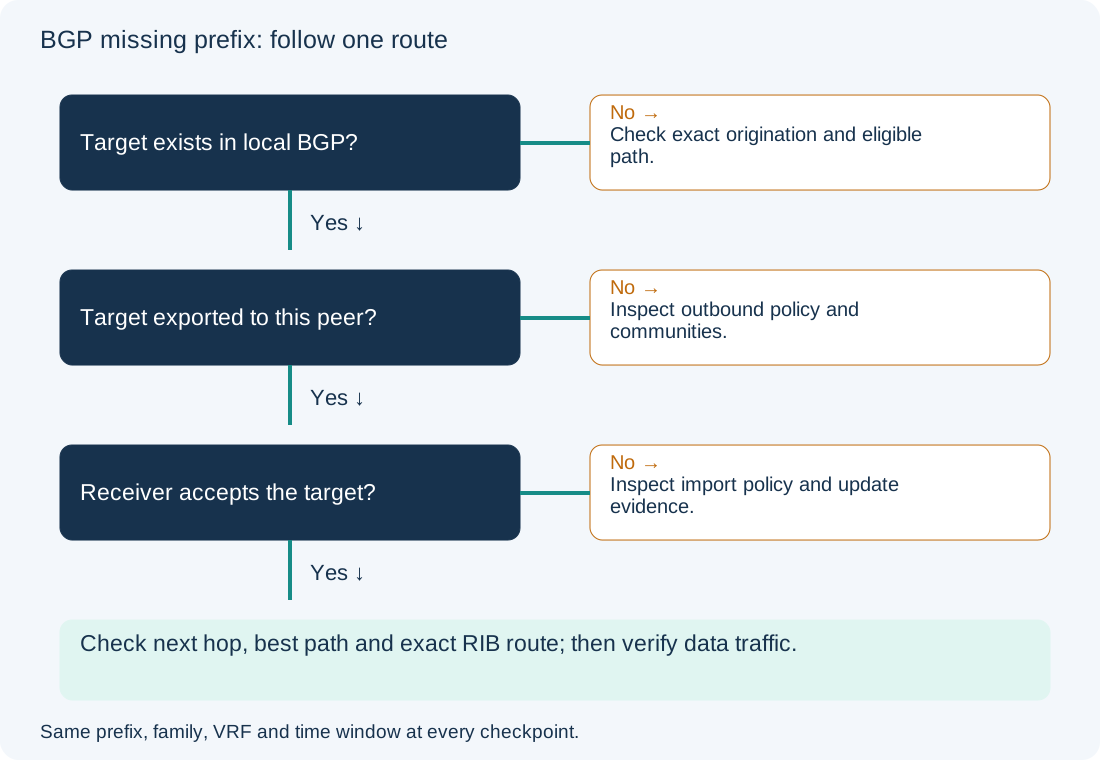
Check that IPv4 unicast is active for this peer and the session has remained up. A prefix count in the summary is not a search result for the target. The route lookup must identify the exact /24, not merely a covering default route. A BGP network statement with a mask needs an exact route in the local RIB. If the prefix never entered local BGP, inspect its intended origin before looking at R2. Do not add a discard route simply to make an announcement appear: that can advertise reachability the router cannot deliver. Cisco documents the exact-match origination rule.
Trace BGP Export, Import, Best Path and RIB Installation
Inspect R1 export and then R2 acceptance. These are read-only:
show ip prefix-list TO-R2
show ip bgp neighbors 192.0.2.2 advertised-routes
On R2, use the inverse peer address:
show ip bgp neighbors 192.0.2.1 routes
show ip bgp 198.51.100.0 255.255.255.0
show ip route 198.51.100.0 255.255.255.0
| Checkpoint | Evidence sought | If target is absent or unusable |
|---|---|---|
| R1 local BGP | Eligible target path and attributes | Fix the origin or path eligibility first |
| R1 advertised routes | Target exported to this neighbor/family | Inspect outbound prefix lists, route maps and communities |
| R2 neighbor routes | Accepted paths associated with R1 | Inspect import policy, AS loop checks and update evidence |
| R2 target BGP entry | Valid path, reachable next hop and best-path result | Investigate next-hop reachability and selection reason |
| R2 exact RIB route | Target installed with intended next hop/protocol | Check competing route preference and RIB failure |
The neighbor routes view is not a full unfiltered record of every received update. received-routes availability depends on retained inbound information and configuration; do not enable memory-intensive inbound soft reconfiguration just to populate a troubleshooting screenshot. R1’s advertisement view also does not prove R2 accepted a packet. Correlate both ends and their times. Cisco’s IOS XE BGP guide describes the neighbor views.
If the route exists in BGP but is not installed, inspect its detail and next-hop route. A valid best path can lose installation to a more preferred route from another source. Conversely, a next-hop failure is not an export prefix-list failure. The BGP basic troubleshooting reference explains these boundaries. If the neighbor is no longer Established, use the separate BGP Active guide first.
Add the Approved Exact Prefix to BGP Export Policy
Configuration change — R1, lab only. Confirm TO-R2 is attached directly outbound to this IPv4 peer, sequence 20 is unused, and the list is not reused by other peers or route maps. Record the full original list and all references. If it is shared, use a separately reviewed policy rather than changing every consumer unintentionally.
configure terminal
ip prefix-list TO-R2 seq 20 permit 198.51.100.0/24
end
With no ge or le, this permits only the exact /24; it does not authorize all its more-specific routes. Sequence 20 is before the recorded sequence-100 deny. This action is appropriate only after validating prefix ownership, forwarding and the actual export omission. It does not replace the complete policy or add permit 0.0.0.0/0 le 32.
Operational change: After confirming syntax on the target image and assessing update load, re-evaluate outbound policy without tearing down TCP:
clear ip bgp 192.0.2.2 soft out
A soft outbound operation can resend updates for more than the target prefix. Monitor policy deltas and neighbor uptime. Do not substitute an unqualified hard clear on a production peer.
Verify BGP Advertisement and Forwarding with Policy Rollback
Repeat the five checkpoints. Expected lab evidence is the target in R1 export, R2 BGP and R2 RIB with next hop 192.0.2.1, while neighbor uptime continues. Compare the entire export set to its baseline; acceptance of the target is insufficient if other unauthorized routes changed. Then test an authorized destination inside the prefix using a specified source and verify the return route. BGP installation does not establish firewall permission or application health.
Rollback removes only the newly introduced sequence, then re-evaluates outbound policy:
configure terminal
no ip prefix-list TO-R2 seq 20
end
clear ip bgp 192.0.2.2 soft out
Expect the target to be withdrawn if no other export rule permits it. Record actual control-plane and forwarding evidence before persisting a configuration. Prevent recurrence with peer-specific policy ownership and approved-prefix comparisons; the configuration drift guide supports the configuration review, while the OSPF MTU guide addresses an entirely different adjacency fault.