Project Overview
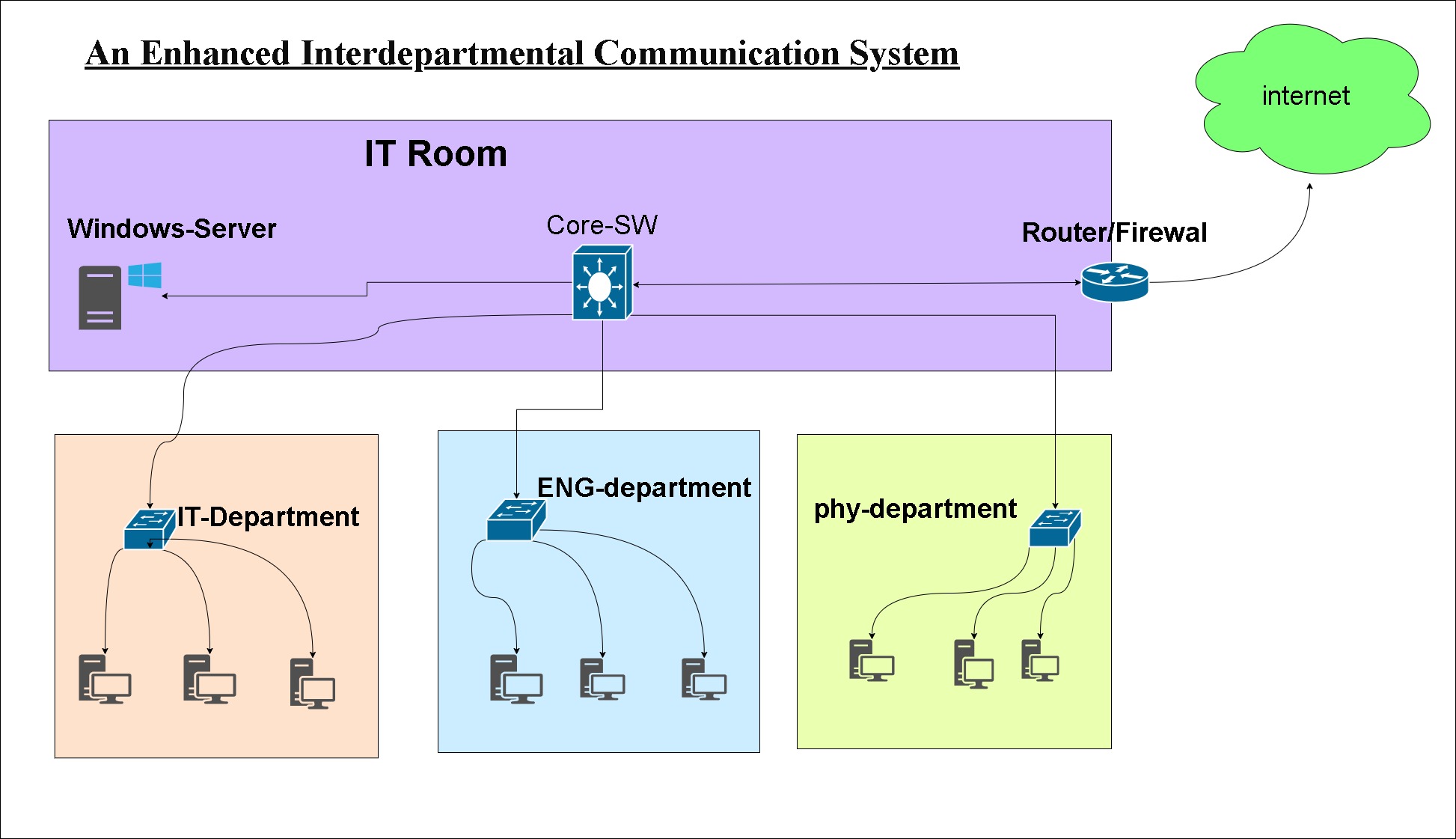
This project involved the design, simulation, and deployment of a secure and scalable campus network to enhance communication across multiple university departments. The project emphasizes hands-on experience with VLANs, OSPF routing, Active Directory, DHCP/DNS, Group Policies, and firewall security, all implemented in a virtualized environment using VMware and GNS3.
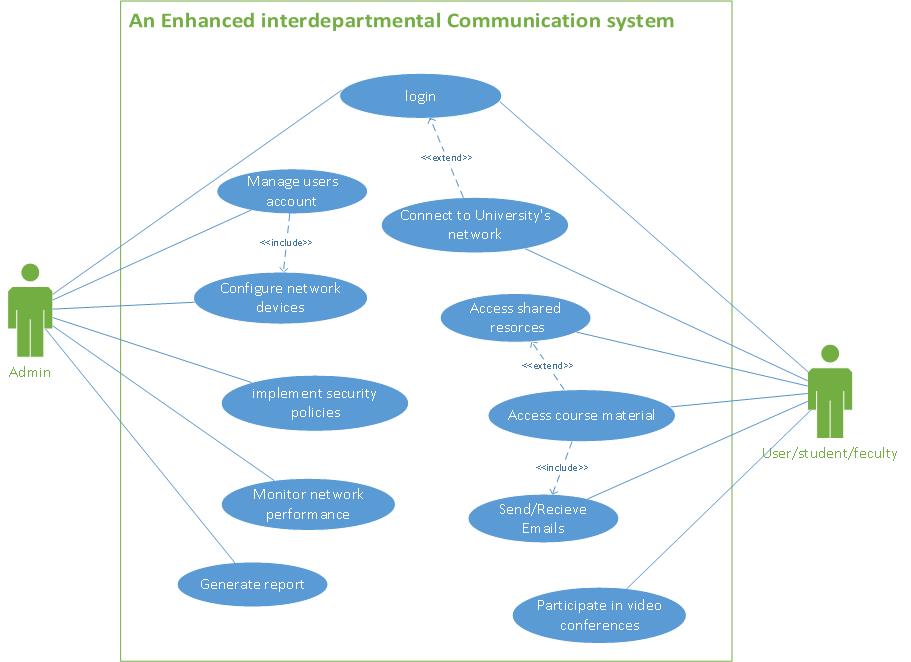
The network ensures secure interdepartmental communication, optimized traffic flow, and centralized management for IT administrators.
Key Features
VLAN Segmentation & Trunking
- Departmental VLANs created for isolation and efficient traffic management
- Trunk ports configured to connect core switches to access switches
- VLANs applied to Windows server and client systems to enforce department policies
Routing & Connectivity
- OSPF dynamic routing implemented between core and distribution routers
- Static routes configured for connectivity to cloud services
- DHCP relay agents configured for centralized IP allocation across VLANs
Windows Server Integration
- Active Directory Domain Services (AD DS) configured for centralized user management
- DHCP and DNS services implemented for IP assignment and name resolution
- Group Policies applied per department to enforce access control and desktop policies
- DNS-based restrictions for specific web content (e.g., social media blocked per department)
Security Implementation
- Fortinet firewall with zone-based policies to secure departmental traffic
- Access Control Lists (ACLs) applied to switches and routers for traffic filtering
- NAT configuration for external connectivity
- Policy-based restrictions and network segmentation for secure communication
End Devices & User Integration
- Windows 10 and Windows 7 clients joined to domain with correct VLAN and group policies
- BGInfo and departmental profile applied for desktop customization and automation
- Users assigned department-specific network permissions
Tools & Technologies
- Virtualization & Simulation: VMware Workstation, GNS3
- Servers: Windows Server 2016 (AD DS, DHCP, DNS)
- Networking Devices: Cisco Routers & Switches, Fortinet Firewall
- Protocols & Services: OSPF, VLAN, Trunking, DHCP, DNS, Group Policies
- Security: ACLs, Zone-based firewall policies, NAT
- Client Systems: Windows 10, Windows 7
Project Outcome
- Fully functional interdepartmental campus network with secure communication
- Reduced broadcast traffic through proper VLAN segmentation
- Centralized IT administration via Active Directory and Group Policies
- Realistic hands-on lab experience simulating enterprise network design
- Enhanced professional portfolio demonstrating network design, implementation, and system administration skills